

One control layer for agentic ecosystems: define rules, enforce allow/block/escalate, and keep full visibility.
Getting started
Overview
How Limits works: rules, allow/block/escalate, and your stack.
Instructions vs Conditions
Two ways to define rules: structured conditions or natural-language instructions.
Quickstart
Get up and running in under 5 minutes.
Platform Guide
Learn how to use the Limits platform.
SDK Reference
Explore the SDK and define rules in your app.
LangChain integration
Integrate with LangChain agents via custom middleware.
Key features
Deterministic rules
Define rules that always execute the same way—no prompt ambiguity.
Human Approval Workflows
Require review (escalation) for sensitive agent actions.
Audit Logs
Full visibility into every check and agent decision.
Edge Interception
Sub-millisecond evaluation at the edge.
Why Limits?
Building with AI and agents introduces risks that are hard to manage with code alone:- Agents and LLMs can take actions that shouldn’t be allowed—spend, data access, or out-of-scope operations—without a central place to enforce rules.
- Hard-coding rules in application code is brittle, doesn’t scale across teams or products, and mixes business policy with implementation.
- Manual review doesn’t scale; you need consistent, automated policy enforcement with the option to escalate when it matters.
- Visibility is missing: what was allowed, what was blocked, what needed approval, and why.
- API, SDK, and backend services need the same policy layer so behavior is consistent everywhere.
How it works
Requests from your stack (API, SDK, agents, webhooks, scheduled jobs, or manual triggers) hit the Limits policy layer. Limits evaluates each request against your policies and returns allow, block, or escalate—so the same rules apply everywhere.Platform journey
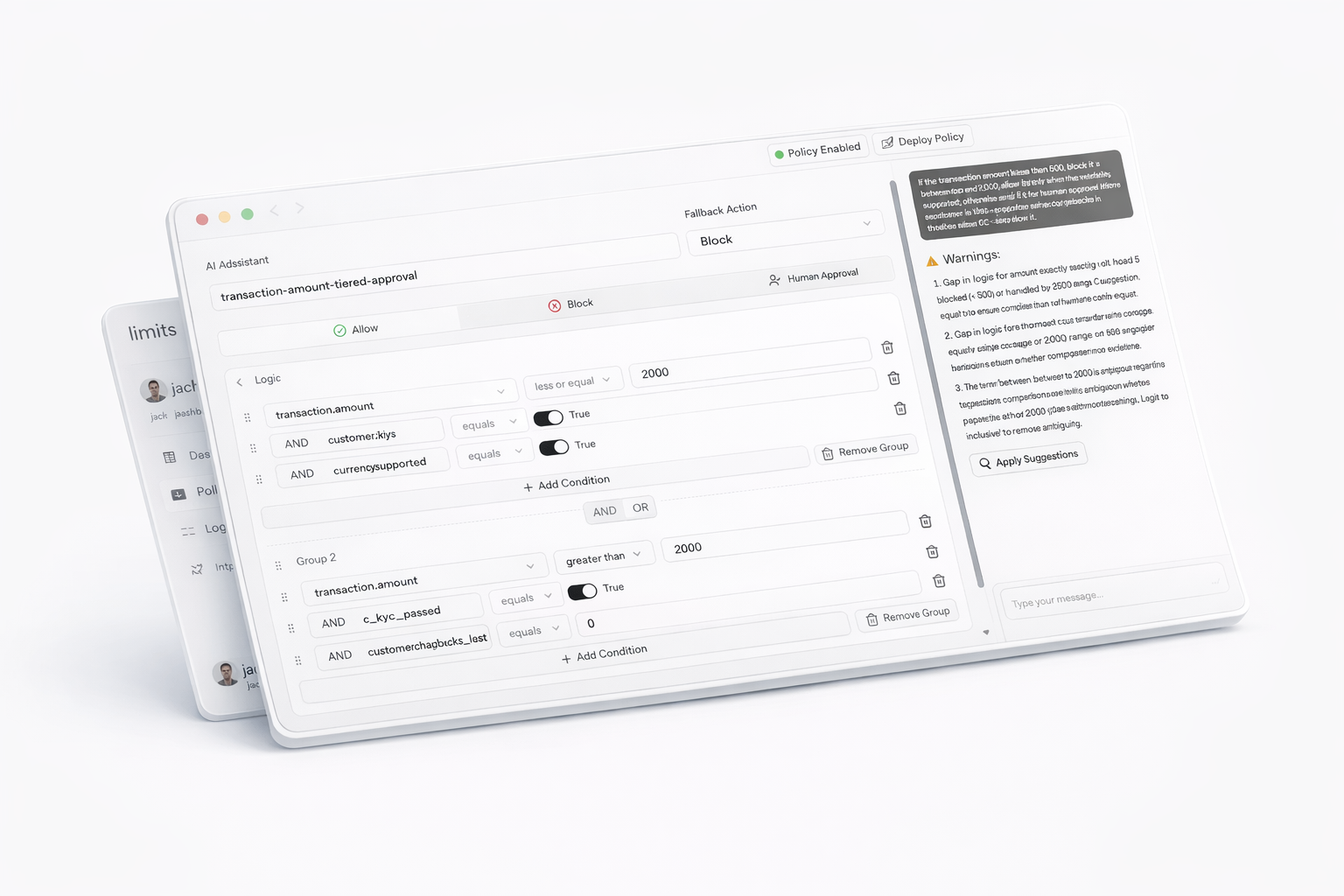
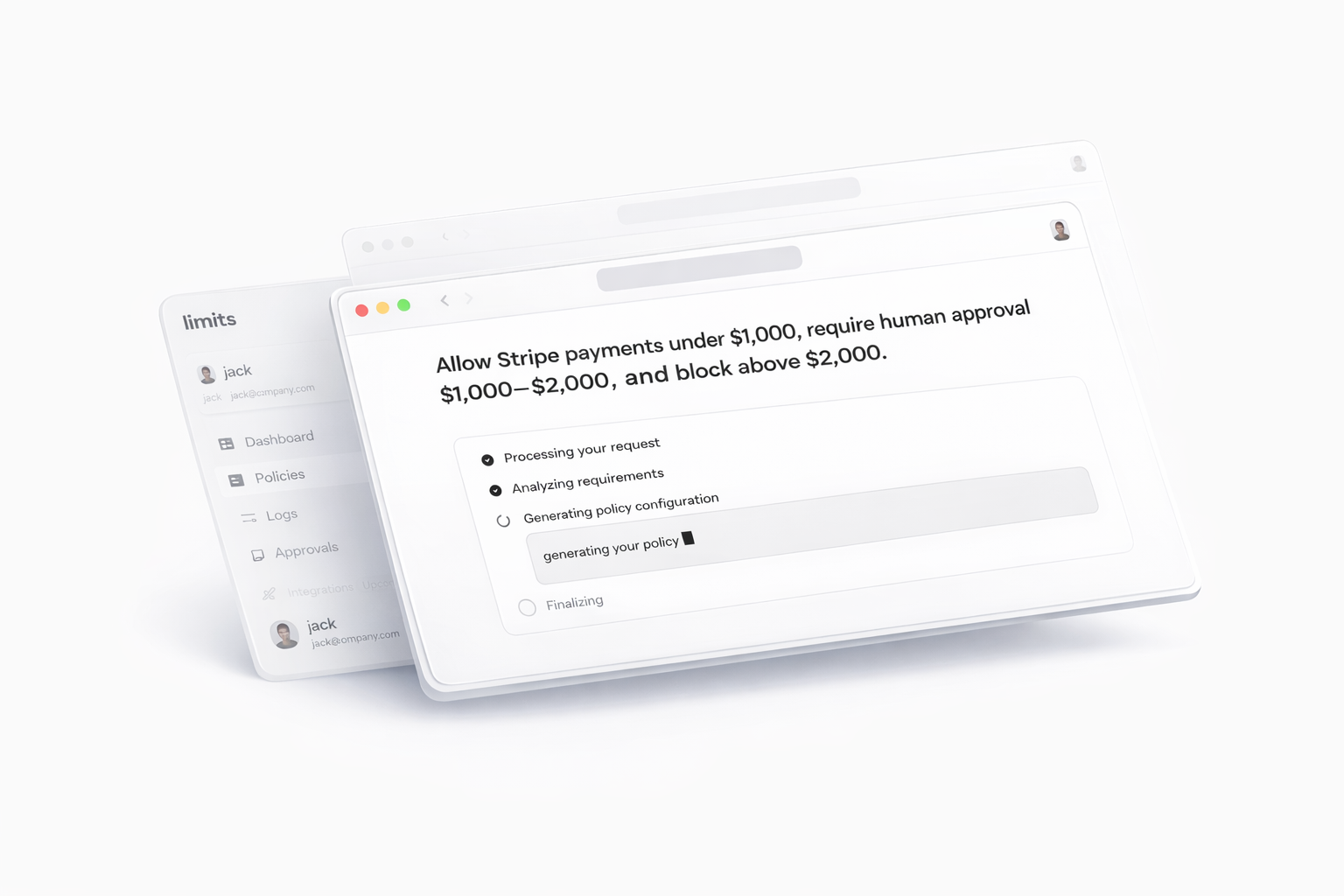
- Define a policy — In the Dashboard, open the Assistant (top right), choose the policy mode (Conditions, Instructions, or Guardrails), and describe what you want in natural language. The Assistant generates the policy.
- View and refine — You’re taken to the results area; the UI adapts to the policy mode. Edit via the Assistant or manually in the visual editor.
- Test — Generate test cases and simulate requests (by single policy or by tag). Simulation works for any policy; it’s for testing before you use the policy in your app.
- Engine — Every evaluation is run by the Limits engine and returns allow, block, or escalate (priority: Block > Escalate > Allow).
- Use in your app — When the policy is ready, call the SDK (
check(),evaluate(),guard()). The SDK only enforces active policies; inactive ones are skipped. Handle the result in your code (data.action,isAllowed,isBlocked,isEscalated,data.reason)—see SDK Policies. - Observe — All evaluations are logged. Escalated requests go to Approvals, where you approve or decline. You can configure notifications (allow/block/escalate) and, for escalations, on_approve and on_decline webhooks.
You define policies, not just code
Policies live in the Limits platform. You describe when to allow, block, or escalate using conditions (e.g. request amount, user risk, resource type), and optionally instructions that guide the system. You can start from natural language in the Assistant (“Block requests over $10,000” or “Escalate when risk is high”), then refine in the visual editor—no need to hand-write policy logic in every service. Policies are evaluated for every request; the outcome is allow, block, or escalate.Three outcomes: Allow, Block, Escalate
Every request is evaluated against your policies:| Outcome | Meaning |
|---|---|
| Allow | The request is permitted. |
| Block | The request is denied. |
| Escalate | The request is escalated; you decide in the Approvals queue. |
One policy layer across your stack
Use the same policies everywhere. Create API keys in Limits, then call the Limits API or SDK from your app or backend—one source of truth and consistent behavior across your stack.You stay in control
- Dashboard — Active policies, pending approvals, and counts of approved/blocked requests.
- Policies — Create and edit policies (conditions and instructions); use the Assistant to generate from natural language and simulate before deploying.
- Logs — Filter and search action logs for full auditability.
- Approvals — Handle escalated requests in one place.
Where to find everything: See the Platform Guide for navigation, routes, and where to find Dashboard, Policies, Logs, Approvals, and API Keys.
Policies do what you tell them
You control the logic: simple rules, conditional workflows, or complex multi-step behavior. Simple rule:- Block any request where
request.amount > 10000. - Allow all other requests.
- If
user.risk_level == 'high': escalate. - If
request.amount > 5000: escalate. - Otherwise: allow.You define the conditions and instructions; Limits evaluates every request and returns allow, block, or escalate—and logs it all.